
Agent monitoring and evaluation
for Copilot Studio
Get full visibility into your Copilot Studio agents. Run automated agent evaluations, track conversation metrics, and ensure your agents perform at their best with continuous agent monitoring.
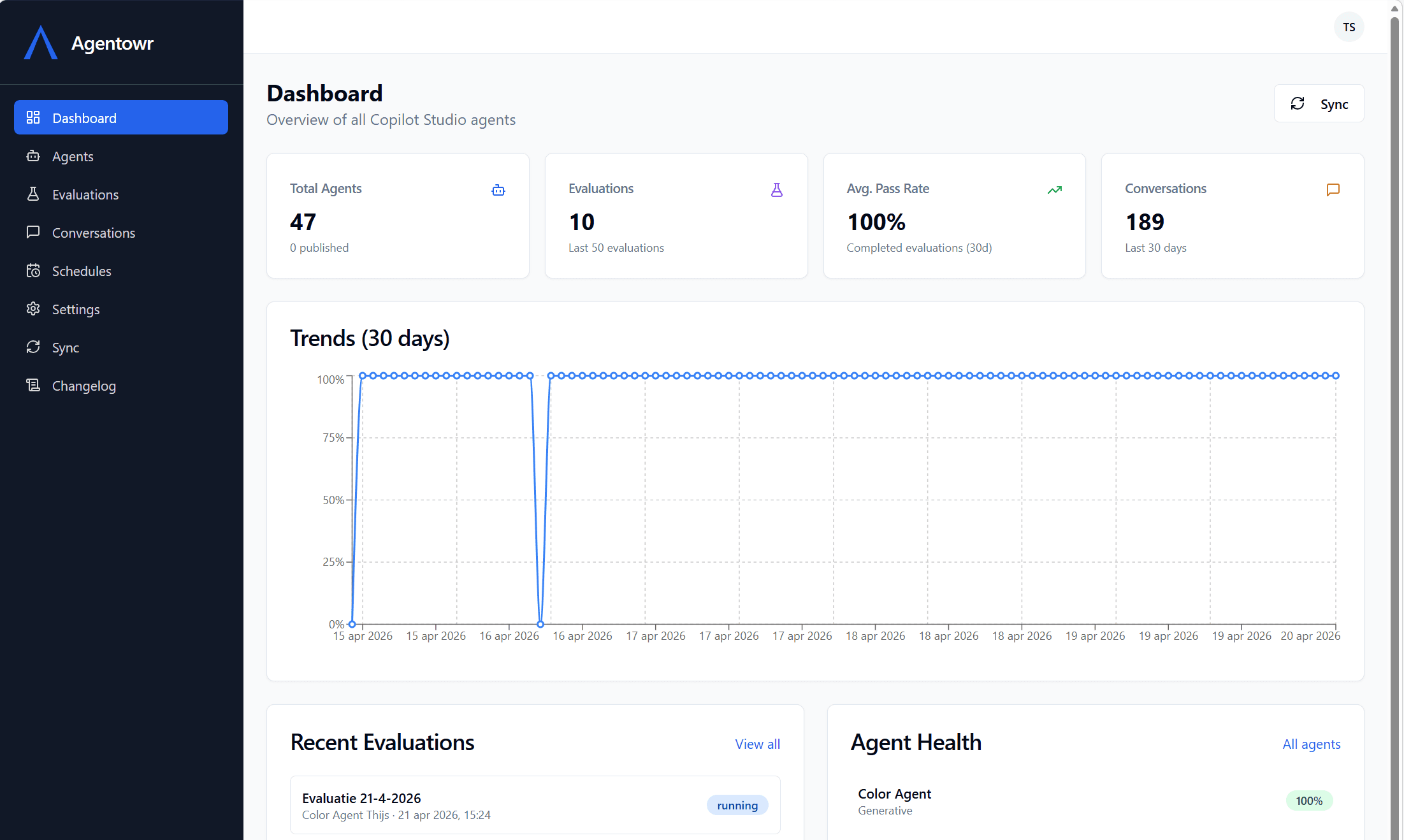
Complete Copilot Studio agent monitoring
Agent Sync
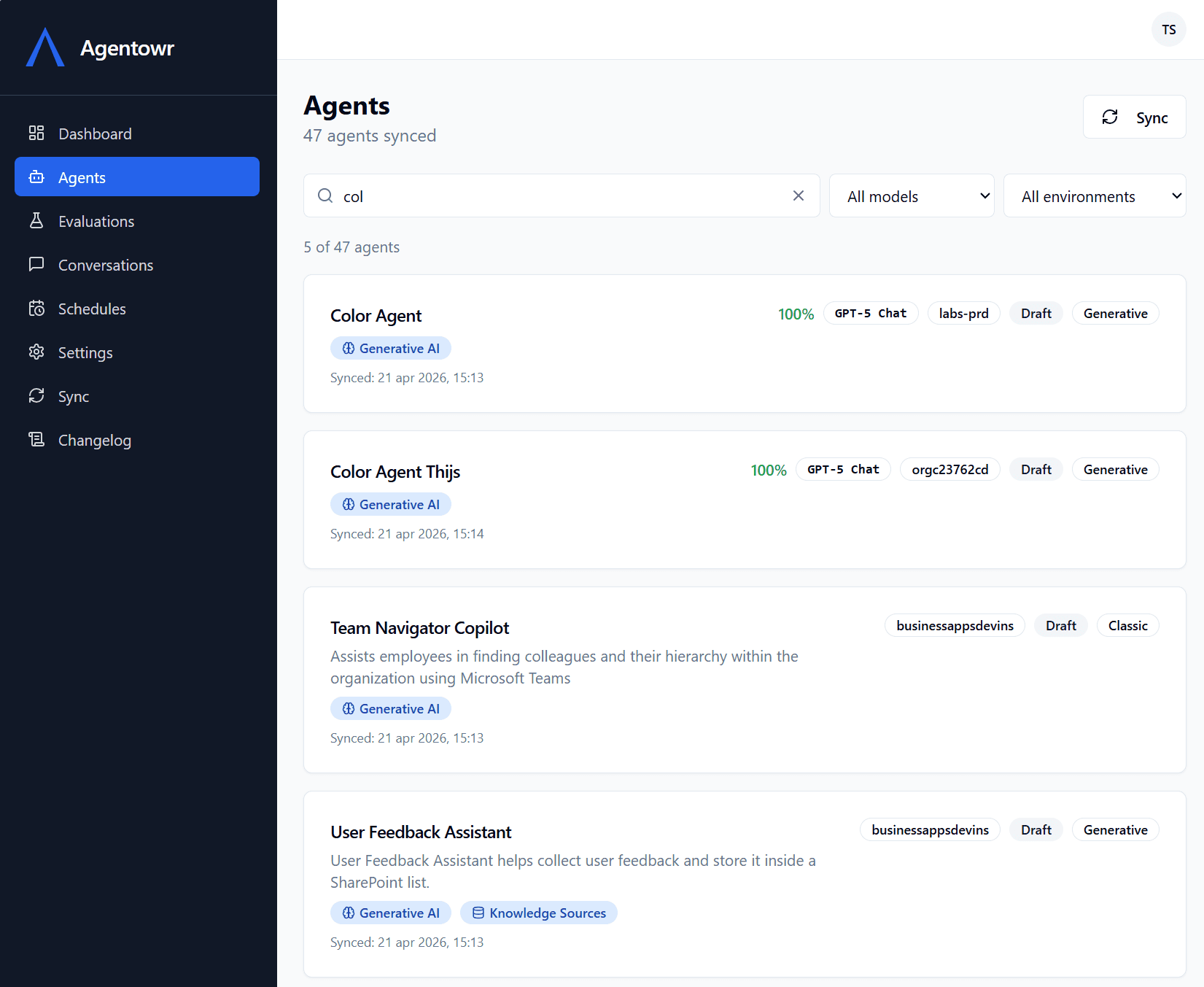
Automatically sync all your Copilot Studio agents across multiple environments. Track configuration changes and component updates with continuous agent monitoring.
Automated Agent Evaluation
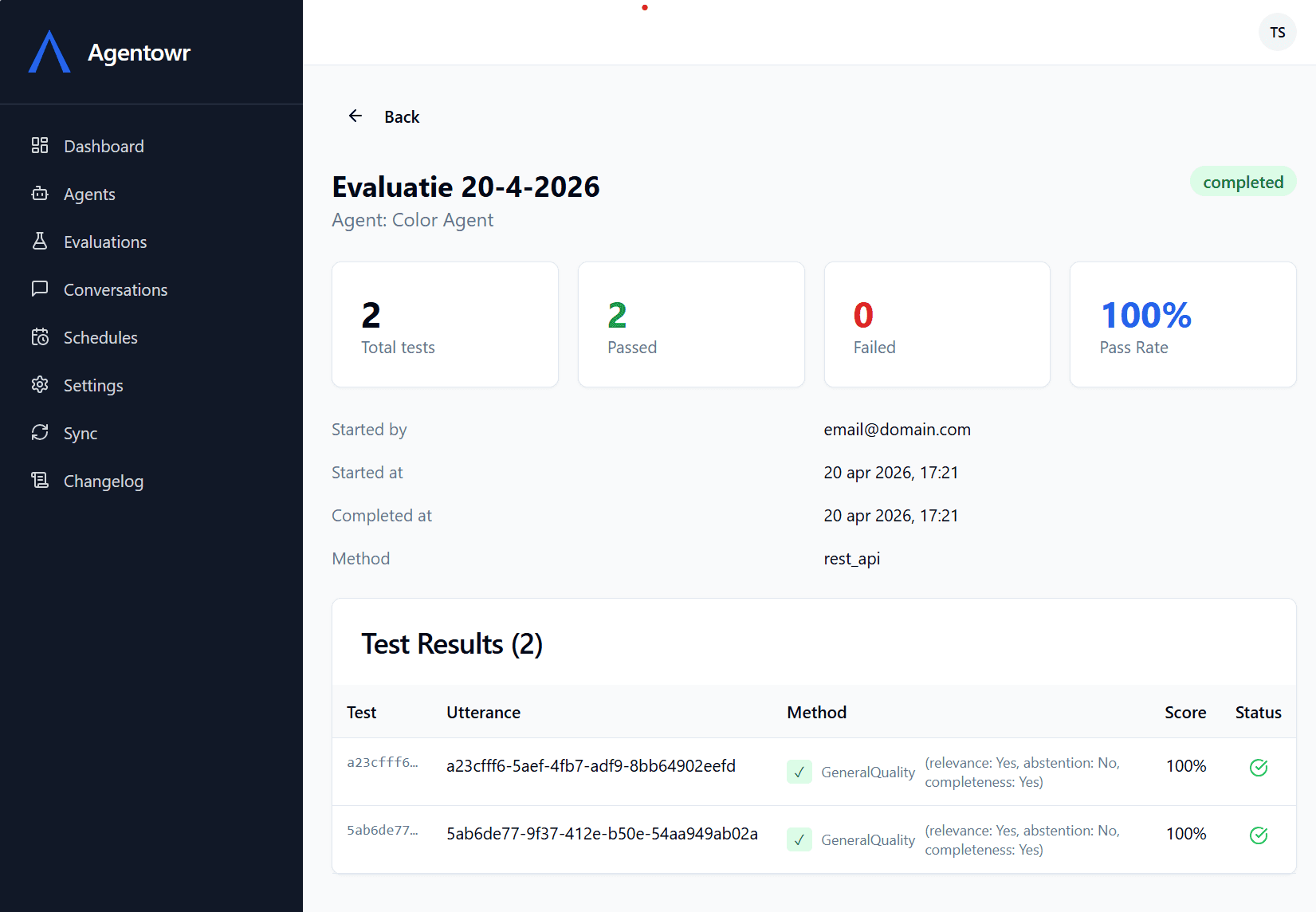
Run test sets against your Copilot Studio agents via the API. Get pass/fail results with detailed conversation analysis for every agent evaluation.
Conversation Analytics
Monitor conversation volumes, escalation rates, and resolution metrics across all your Copilot Studio agents over time.
Scheduled Agent Evaluation
Set up recurring evaluation schedules to continuously test your Copilot Studio agents and catch regressions early.
Agent Monitoring Dashboards
Visualize agent evaluation pass rates and conversation metrics with interactive trend charts and health grids.
Multi-Tenant & Secure
Built for organizations with multiple Copilot Studio environments. All data is isolated per tenant with Microsoft Entra ID authentication.
What is Copilot Studio agent monitoring?
Copilot Studio agent monitoring is the practice of continuously tracking how your AI agents perform in production. As organizations deploy conversational agents built with Microsoft Copilot Studio, they need visibility into conversation volumes, escalation rates, resolution success, and response quality. Without agent monitoring, teams are blind to regressions, topic failures, and degraded user experiences. Agent monitoring gives you the data to identify problems early, measure the impact of changes, and demonstrate the value of your Copilot Studio investment to stakeholders. Agentowr connects directly to the Power Platform APIs and Dataverse to sync agent configurations, track conversation metrics, and surface trends that matter.
Why do you need agent evaluation?
Agent evaluation is the process of systematically testing your Copilot Studio agents against predefined test cases to verify they respond correctly. Unlike manual testing in the Copilot Studio authoring canvas, automated agent evaluation runs your full test suite programmatically via the Copilot Studio API. Each test case sends a user message to the agent, captures the response, and validates it against expected outcomes. This gives you a clear pass/fail result for every scenario, along with the full conversation transcript for debugging. By running agent evaluations on a schedule, you can catch regressions immediately after publishing changes, before they affect end users. Agentowr stores evaluation history so you can track pass rates over time and identify which topics or intents are most prone to failure.
How Agentowr works with Copilot Studio
Agentowr integrates with your Microsoft Entra ID tenant and connects to the Copilot Studio environments you select. Once connected, it syncs your agent configurations automatically, including topics, entities, variables, and component metadata. You create test sets directly in Agentowr. Each test set contains one or more test cases with user messages and expected agent behaviors. When you run an agent evaluation, Agentowr calls the Power Platform API to send messages and capture responses. Results are stored with full conversation transcripts, and you can set up scheduled evaluations to run daily or weekly. The monitoring dashboard aggregates conversation volumes, escalation counts, and resolution rates across all agents, giving you a single view of your entire Copilot Studio deployment.
How agent monitoring works
Connect your Copilot Studio environments
Sign in with your Microsoft account and select which Copilot Studio environments to monitor.
Sync & run agent evaluations
Sync your agents automatically. Create test sets and run agent evaluations on demand or on a schedule.
Monitor & improve
Track pass rates, conversation metrics, and agent health over time. Catch issues before your users do.
Frequently Asked Questions
What is Copilot Studio agent monitoring?
Agent monitoring gives you full visibility into how your Copilot Studio agents perform. Agentowr tracks conversation volumes, escalation rates, resolution metrics, and evaluation pass rates so you can identify issues and improve your agents over time.
How does agent evaluation work?
Agent evaluation lets you run predefined test sets against your Copilot Studio agents via the Power Platform API. Each test case sends a message and validates the response, giving you pass/fail results with detailed conversation analysis.
Why does the app need admin consent?
This portal connects to the Dataverse and Power Platform APIs to sync your Copilot Studio agents and run evaluations. These APIs require delegated permissions that need to be approved by a tenant administrator via an Entra ID app registration consent flow. Without admin consent, the app cannot access your organization's Copilot Studio data.
What permissions does the app request?
The app requests permissions to read Copilot Studio agent configurations, run test sets via the Power Platform API, and read conversation transcript metadata. All access is scoped to the environments you explicitly enable. The app cannot access anything outside of those environments.
What data do you store?
We only store agent metadata such as names, configuration settings, component structure, and evaluation results (pass/fail outcomes). We do not store any end-user conversation data, personal information, or message contents from your agents. Conversation metrics (volumes, escalation counts) are stored in aggregate form only. All data is stored in the EU (Ireland) region.
Is data isolated between tenants?
Yes. All data is strictly isolated per Microsoft Entra ID tenant. Each organization can only see and manage their own agents, evaluations, and metrics. There is no cross-tenant data access.
How do I grant admin consent?
After signing in, go to Settings and click the "Grant admin consent" button. This will redirect your tenant admin to the Microsoft consent screen. Once approved, all users in your organization can use the portal without additional consent prompts.
Ready to start agent monitoring?
Sign in with your Microsoft account to connect your Copilot Studio environments and start running agent evaluations.